Lovable authentication testing: login, recovery and sessions
Lovable authentication testing should cover recovery, expired sessions, sign-out and protected requests as well as successful login. Define the backend's allowed behavior and verify it directly in a controlled environment. A redirect to a login page is useful feedback, but it does not prove that a p

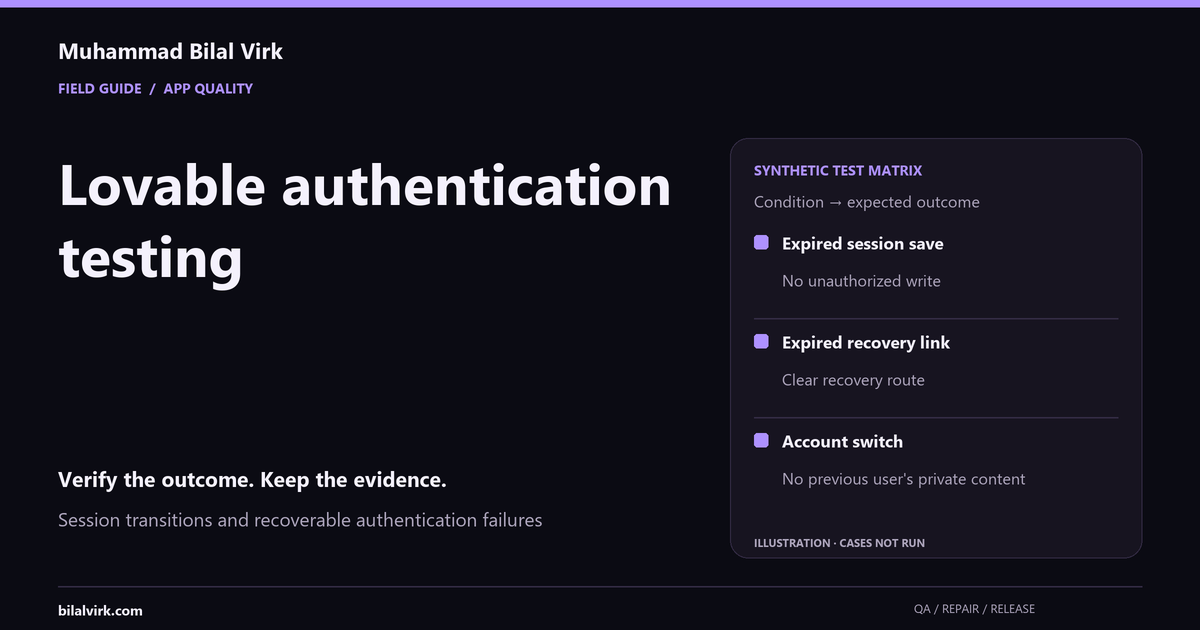
Lovable authentication testing should cover recovery, expired sessions, sign-out and protected requests as well as successful login. Define the backend's allowed behavior and verify it directly in a controlled environment. A redirect to a login page is useful feedback, but it does not prove that a protected API denied the request.
This guide is for founders and agency owners preparing an English-language app or integration for users in the US, UK, Canada or Australia. The method is about session transitions and recoverable authentication failures. Country-specific legal or compliance requirements need their own qualified review; this guide does not establish them.
Define the outcome before running a check
Write the expected result in business language before examining the implementation. Ask which record should exist, which user may access it and what should happen when the action cannot finish. If two people disagree on that policy, record a product decision rather than calling one implementation a bug. Agree the environment and permission boundary before testing.
Worked synthetic example
A synthetic user starts editing a profile, then the session expires. The save must not look successful. Preserve non-sensitive edits, ask the user to sign in again, and verify the server did not accept an unauthorized update. Passwords and tokens do not belong in evidence screenshots.
| Synthetic condition | Expected result |
|---|---|
| Expired session save | No unauthorized write |
| Expired recovery link | Clear recovery route |
| Account switch | No previous user's private content |
These rows are test expectations, not observations from a client app. Mark each result NOT RUN until it has actually been executed. A blocked credential, unavailable provider or missing fixture belongs in a blocked column. Do not count it as a pass to make the report look complete.
Practical verification sequence
- Name protected pages and actions with expected signed-out behavior.
- Use separate synthetic accounts in clean sessions.
- Test valid login, wrong credentials and account recovery.
- Test expired links, expired sessions and sign-out.
- Verify protected records and account-switch behavior.
Run one case at a time and reset the fixture between cases where the previous action changes state. Keep the initial state reproducible: a named synthetic account, an agreed role and a known record. If the case fails intermittently, record the timing and repeat conditions. Do not erase a failure by rerunning until it happens to pass; investigate what changed.
Turn a finding into a decision
A useful finding separates expected behavior, observed behavior and the reason it matters. Attach the smallest reproduction you can produce. Name the affected journey and the conditions you tested. If you cannot inspect a downstream record, say that the downstream result is unverified. This lets the owner choose whether to repair, add observability, change the product policy or defer release.
For a repair, agree the acceptance condition before implementation. Retest the original failure and one adjacent ordinary path, then record the release identity. A narrow repair should not quietly become an unrelated redesign. When a broader issue appears, revise the scope and explain the dependency.
Sources and scope limits
Use the primary documentation for the underlying platform or verification contract. Documentation is a reference, not evidence that your app conforms. The worked example above is original and synthetic. It makes no claim about client outcomes, defect rates or every AI-generated app.
Next step
Discuss a scoped review when the failure affects a critical journey or you need implementation and retest evidence. Book a discovery call with the actual stack and a description of the broken outcome. Do not send production secrets, source archives or customer data in the initial enquiry.
Frequently asked questions
What should expired session save demonstrate?
The expected result is: No unauthorized write. Establish the initial state, execute the case and inspect the resulting business state. This example is synthetic; your product policy determines the actual assertion.
What evidence should I keep?
Keep the release identity, role, environment, steps, expected result, observed result and status. Redact personal data, tokens and secrets. A passing screenshot alone may miss a failed backend effect.
How should I handle expired recovery link?
For this example, expect: Clear recovery route. If that cannot be demonstrated, record fail or blocked with the missing evidence. Do not infer coverage for other roles, integrations or future releases; this is not a security certification.
When should I request paid help?
Request a scoped review when a critical journey fails repeatedly, the expected policy is unclear, or you cannot determine what committed. Bring reproduction steps and the actual stack; share access only through an agreed process.
Want this built against your real numbers?
A 30-minute call to scope the workflow, agent, or automation you actually need.