Role changes: test when permissions should take effect
A scoped role change permission testing workflow with synthetic conditions, expected outcomes, evidence checks and practical next steps.

Direct answer
For role change permission testing, use a reproducible fixture, explicit expected outcomes and evidence of the final business state. Agree when role changes take effect and inspect the server result, including already-open tabs.
This is a scoped method for a founder or agency reviewing an existing app or integration. It defines test expectations; it does not describe an audit performed on a client system.
Define the fixture and policy
An owner demotes a synthetic editor while that editor keeps a document tab open.
Use an authorized test environment and synthetic records. Record the release, identities, initial state and dependency conditions. Replace the example policy with your approved product policy before running the checks. If the required outcome is undecided, resolve that decision before classifying the implementation as defective.
Worked example and acceptance matrix
| Condition | Agreed expectation | Evidence to inspect |
|---|---|---|
| Fresh page | New role policy is enforced | Permission decision |
| Old tab mutation | Disallowed edit is rejected | Unchanged document revision |
| Promotion | Newly allowed action succeeds | Audit event and revision |
All rows begin NOT RUN. The expectations belong to this example, not every product or provider. Preserve fail and blocked results rather than counting an unavailable dependency as a pass.
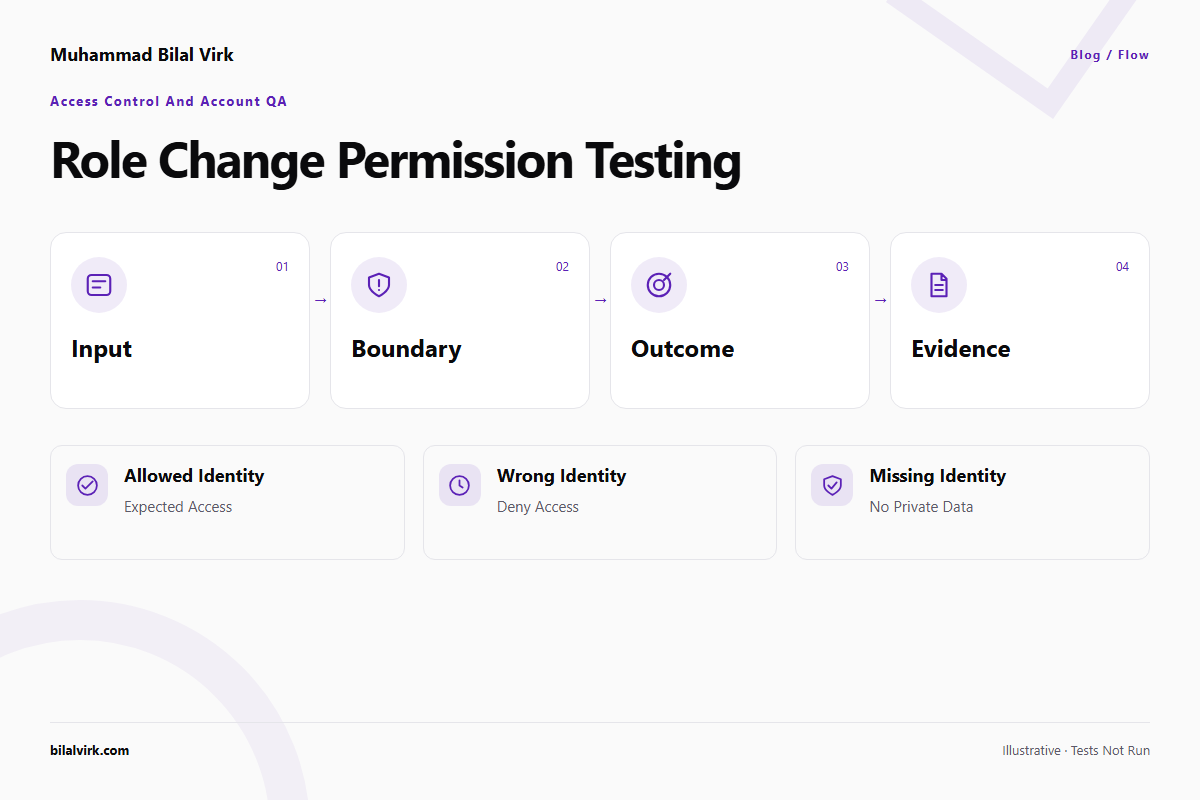
Run the conditions independently
1. Fresh page
Set up this condition deliberately rather than waiting for it to occur during an ordinary click-through. For this fixture, the acceptance condition is new role policy is enforced. Capture permission decision and compare it with the agreed initial state. A different result needs a reproduction record; missing access to that evidence makes the case blocked. Keep the condition separate from the other rows so one successful case cannot conceal a failure here.
2. Old tab mutation
Set up this condition deliberately rather than waiting for it to occur during an ordinary click-through. For this fixture, the acceptance condition is disallowed edit is rejected. Capture unchanged document revision and compare it with the agreed initial state. A different result needs a reproduction record; missing access to that evidence makes the case blocked. Keep the condition separate from the other rows so one successful case cannot conceal a failure here.
3. Promotion
Set up this condition deliberately rather than waiting for it to occur during an ordinary click-through. For this fixture, the acceptance condition is newly allowed action succeeds. Capture audit event and revision and compare it with the agreed initial state. A different result needs a reproduction record; missing access to that evidence makes the case blocked. Keep the condition separate from the other rows so one successful case cannot conceal a failure here.
Save a reproducible test record
The following original fixture can be copied into a test plan. Its identifiers are synthetic. It contains no production credentials and does not make network requests.
{
  "example": "synthetic; not executed",
  "scope": "An owner demotes a synthetic editor while that editor keeps a document tab open.",
  "cases": [
    {
      "id": "day-33-case-1",
      "condition": "Fresh page",
      "expected": "New role policy is enforced",
      "evidence": "Permission decision",
      "status": "NOT RUN"
    },
    {
      "id": "day-33-case-2",
      "condition": "Old tab mutation",
      "expected": "Disallowed edit is rejected",
      "evidence": "Unchanged document revision",
      "status": "NOT RUN"
    },
    {
      "id": "day-33-case-3",
      "condition": "Promotion",
      "expected": "Newly allowed action succeeds",
      "evidence": "Audit event and revision",
      "status": "NOT RUN"
    }
  ]
}
Add the actual result, a redacted evidence reference and the environment after execution. Reset state between cases that mutate records. When a response is uncertain, inspect the business receipt or persisted state before repeating the action.
Interpret the result and choose the next step
Agree when role changes take effect and inspect the server result, including already-open tabs.
A failure report should name the affected condition, the observed difference and its business impact. A blocked result should name the missing dependency and its owner. After a repair, rerun the original failure and a relevant ordinary path against the new release. Keep untested conditions visible. This matrix does not establish exhaustive security, compliance, performance or integration coverage.
Use the paired tool
Role and Permission Matrix Builder provides a practical companion. Its dated enhancement is permission transition scenarios. The planning worksheet creates named cases and exports your recorded outcomes; it does not automatically exercise your app. Use the tool's existing calculation or validation separately where relevant.
Implementation reference
Consult Supabase row-level security for the underlying platform or method. The source is an implementation reference; the fixture and product expectations above are original illustrative conditions, not quoted provider guarantees. Confirm the documentation for your deployed version before implementation.
Frequently asked questions
What demonstrates fresh page?
For this fixture, new role policy is enforced. Inspect permission decision; a success message alone may not establish the approved outcome.
What if old tab mutation cannot be reproduced?
Record it as blocked with the missing setup or dependency. Do not replace the missing evidence with the image or a generated expectation. The diagram is instructional, and this article reports no executed result.
When is a scoped review useful?
Request one when a critical condition fails, ownership is unclear or the team cannot determine what committed. Bring the reproduction and agreed policy.
Recommended action
Start with the matrix for role change permission testing, then record evidence before accepting or repairing the result. Discuss a scoped AI app audit or book a discovery call. Share the stack and broken journey in the initial enquiry; arrange any required access separately.
Want this built against your real numbers?
A 30-minute call to scope the workflow, agent, or automation you actually need.